
Your servers, in your pocket
Check who's streaming, where they're watching from, and how your servers are holding up — without opening a laptop.



Available on Android and iOS.
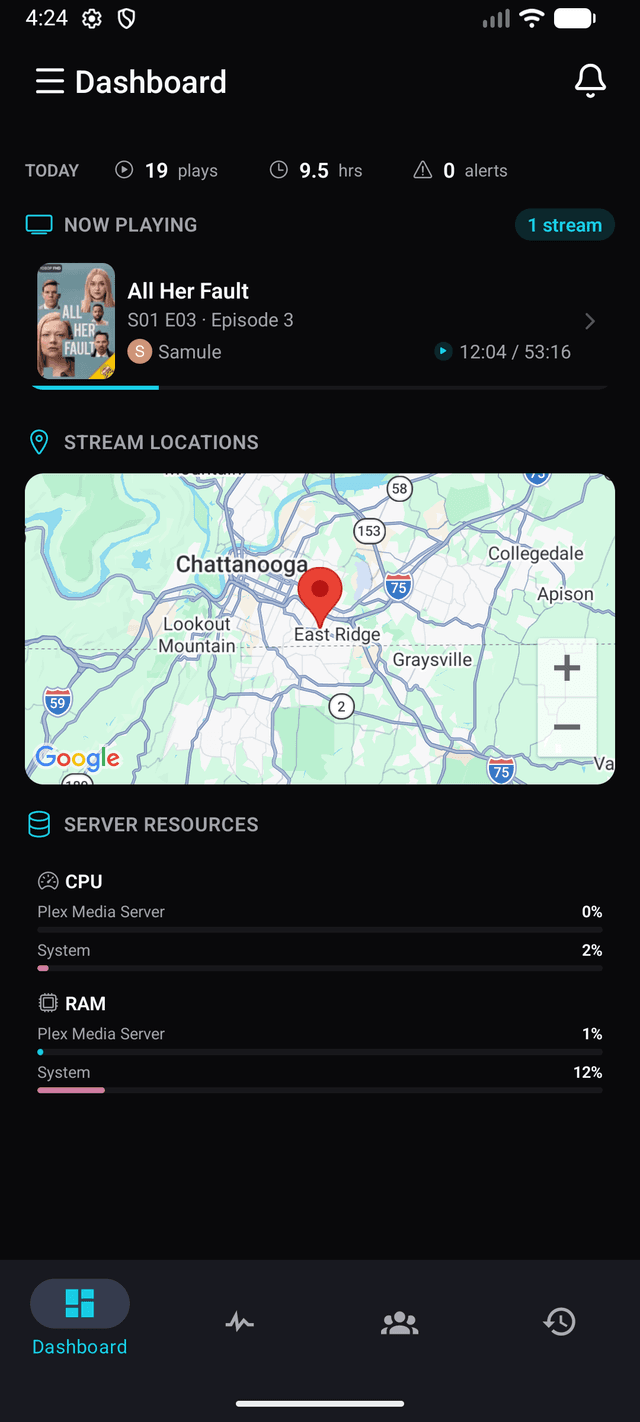
Dashboard
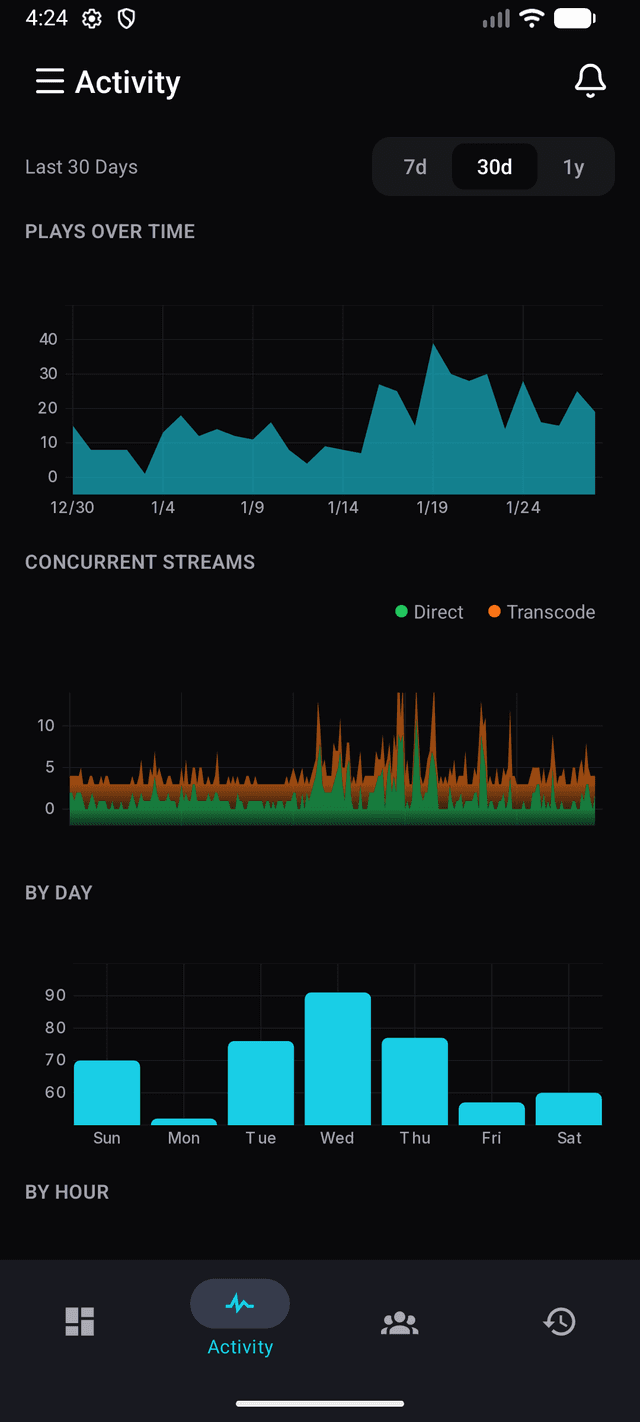
Activity Analytics
What you get
Now Playing
See who's watching what, right now. Title, episode, user, and playback progress.
Stream Map
Where are your streams coming from? See every active session on an interactive map.
Server Resources
Keep an eye on CPU and RAM usage across all your servers without opening a browser.
Activity Stats
Plays over time, concurrent streams, direct vs transcode — broken down by day and hour.
Push Notifications
Get alerts from your Tracearr instance. New streams, violations, server issues.
All Your Servers
Pick one server, a few of them, or all of them. Your choice sticks across every tab and survives a restart.
How to connect
Download
Get Tracearr from the App Store or Google Play.
Pair
Go to Settings → Mobile in your Tracearr dashboard and scan the QR code.
Done
That's it. Your servers are now in your pocket.
Download the app
Available on Android and iOS.